Background removal
Automated where the shape supports it, hand-corrected where it does not, output on white, transparent or your brand background as specified.

Reliable Remote Staffing
Since 2004
Background Removal, Clipping Path & Ghost Mannequin Editing
Automated cutouts have got good, and for simple shapes on clean backgrounds they are the right tool. What they still fail on is exactly what apparel and homeware catalogues are full of: fine hair, loose weave, translucent fabric, reflective metal and anything where the edge is genuinely ambiguous.
Ghost mannequin is a different job again — compositing neck, cuff and hem interiors from multiple shots so the garment holds its shape with nobody inside it. Done badly it reads as an error rather than a style.
StaffCloud uses automation where it works and hand paths where it does not, with the split decided per product type rather than per image, and a review that is looking specifically at edges.
Automated where the shape supports it, hand-corrected where it does not, output on white, transparent or your brand background as specified.
Vector paths drawn by hand for products where an automated mask will not hold — with multi-path and inner-path work where the product needs it.
Neck, sleeve and hem interiors composited from multiple shots so the garment reads as worn and empty rather than as a mistake.
Review aimed specifically at edges, halos and fringing — the failures that are invisible at thumbnail size and obvious on a product page.
Natural or drop shadows rebuilt after removal, since a cutout with no shadow floats.
Each marketplace's background and margin requirements met on export, which is where cutouts most often get rejected.
The garment is photographed on a form, then the form is removed and the inside of the collar and placket composited back in from a second shot — which is what makes it read as a worn shape rather than a flattened one.
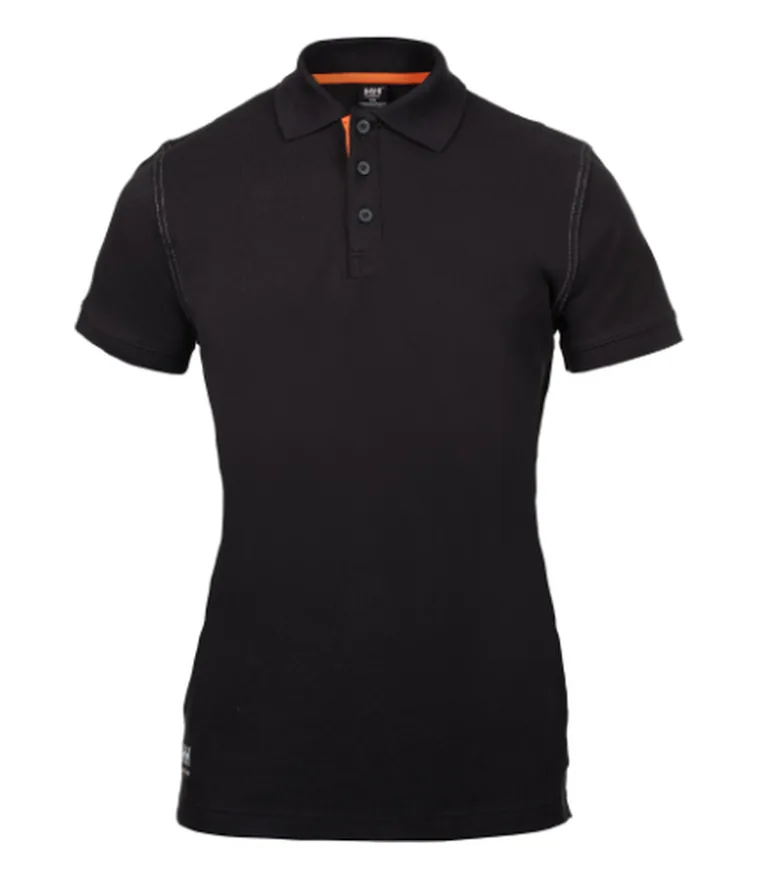
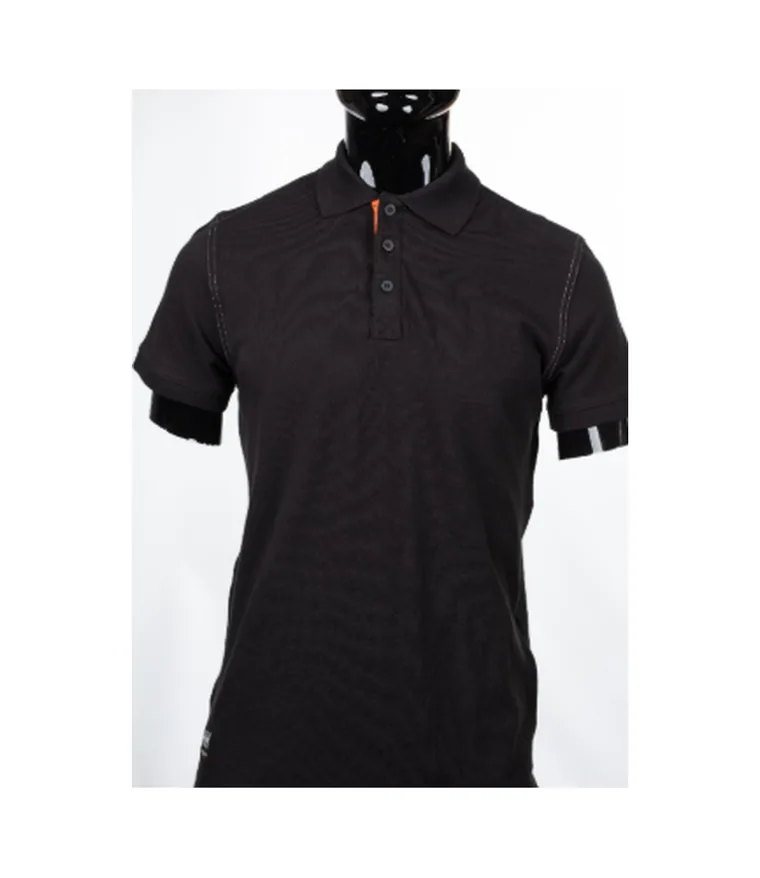
Shot on a gloss display form, composited to a ghost mannequin: the form removed, the neckline rebuilt from the inside-out frame, and the garment squared on white.
Client work is published with the client's permission. Product names and marks belong to their owners.
Which items automate cleanly and which need hand paths, decided by product type rather than image by image.
A pilot including the hard cases, producing an agreed edge and shadow standard.
Volume work with the automation and hand-path split applied, and edge-focused review.
Channel-specific exports produced and checked against each destination's rules.
Everyone can cut out a box on white. The catalogue is judged on the knitwear and the chrome.
The pod works inside your stack. These are the systems this team uses day to day — if yours is not listed, we will learn it.
The things worth knowing before the first call.
Describe the workload in a sentence and we will point you at the right team — or tell you honestly if it is not something we should take on.
Ask usFor simple shapes you should, and StaffCloud does — there is no sense paying for hand work an algorithm does perfectly well.
People are involved for hair, mesh, transparency and reflection, where automated masks leave fringing that is invisible in a thumbnail and obvious at full size on the product page. Using both, and knowing which route each product takes, is what keeps quality and cost in balance.
Usually a shot on the mannequin plus interior shots of the neck, cuffs and hem.
Without the interiors, the composite has to be invented, and it shows on the page. StaffCloud agrees the shot list with you before the shoot rather than after, which is considerably cheaper than discovering the gap once the garments have been packed away.
Yes — PNG or TIFF with an alpha channel, along with the flattened versions each sales channel requires.
Which format you need for which destination is settled in the export spec at the start, so every batch arrives ready to upload. That removes a conversion step your team would otherwise repeat for every release.
Shadows are rebuilt to a treatment agreed with you and applied consistently across the set.
A cutout with no shadow floats oddly on the page, and one with an inconsistent shadow looks worse than either — it reads as a catalogue assembled from different sources. Deciding the treatment once is what makes a large set look like one shoot.
Yes, and volume is exactly where the triage step earns its place.
Deciding by product type which route each item takes — automated, assisted or hand work — is what keeps the cost sensible and the quality even across thousands of images. Treating every product the same way overspends on the easy ones and underserves the difficult ones.
Yes. Fringing and halo correction on an existing library is a common place to start.
It normally begins with an audit of how widespread the problem actually is, because that decides whether you are repairing a few hundred images or reprocessing the set. Knowing which before committing is worth the audit.
Tell us the workload
We will map the roles, the hours and the cost, and come back within one working day.
Or submit an enquiry — the full form, with a service line