
Client success story · CS4
Correcting size labels across a variation family
Inconsistent size values on the PDP, traced to normalisation rules
- PlatformAmazon marketplace
- Issue typeVariation size label mismatch
- Product typeCleaning Agent
- ASINs affected4
- 4ASINs corrected
- 15 minto reflect on the PDP
- 0variation changes needed
Client background
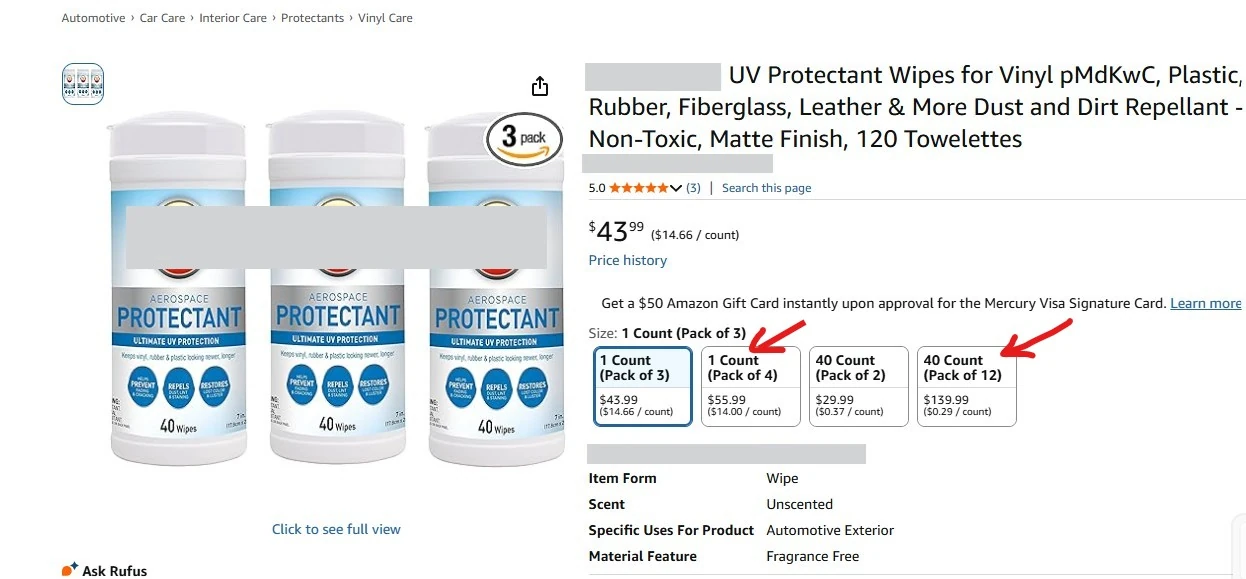
Four ASINs in the same variation family were displaying inconsistent size labels on the Product Detail Page. The products were correctly linked in variation, but the size values customers saw did not line up across the child ASINs.
Backend attribute validation, catalogue troubleshooting and a look at Amazon's size normalisation logic found the cause, and the correct labels were restored within minutes of the fix.
Problem
Operational challenges
Four products already sat in an active variation family, but the size labels on the PDP were not consistent. Variation options appeared mismatched, size labels differed across child ASINs, and customers could be confused during selection — a listing that looked inconsistent despite a correct backend setup. For vendors this affects conversion, trust and variation performance directly.
Solution
Custom solution executed
-
01
Backend audit
A detailed check across all affected ASINs and vendor codes confirmed the size attribute was already correct, values were consistent under every vendor code, there was no variation relationship issue, and parent-child linking was sound. The problem was not a missing or wrong size field.
-
02
Support escalation
With backend values correct, Amazon support was engaged. The response was generic: our contribution had the correct values, another contributor's content was winning on the PDP, and Brand Registry intervention might be needed.
That did not explain why only certain size labels were wrong, so root cause analysis continued internally.
-
03
Root cause analysis
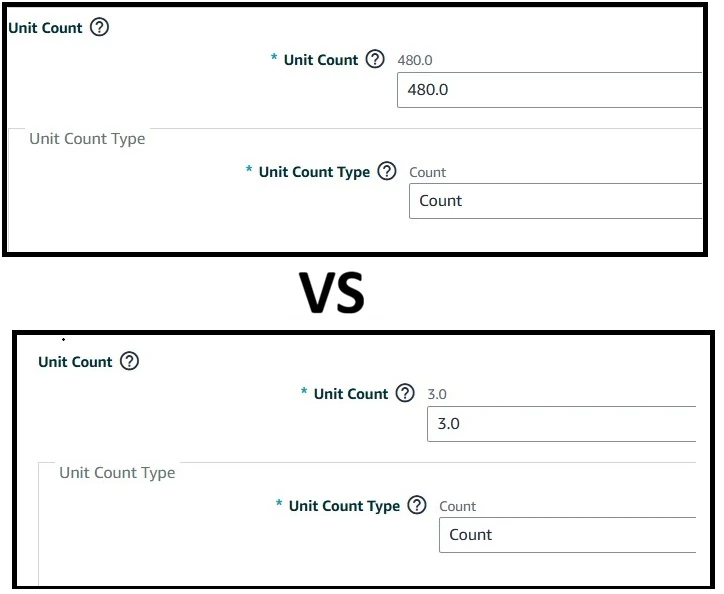
Full catalogue data was compared between ASINs displaying correctly and those displaying incorrectly. The difference was the unit count attribute.
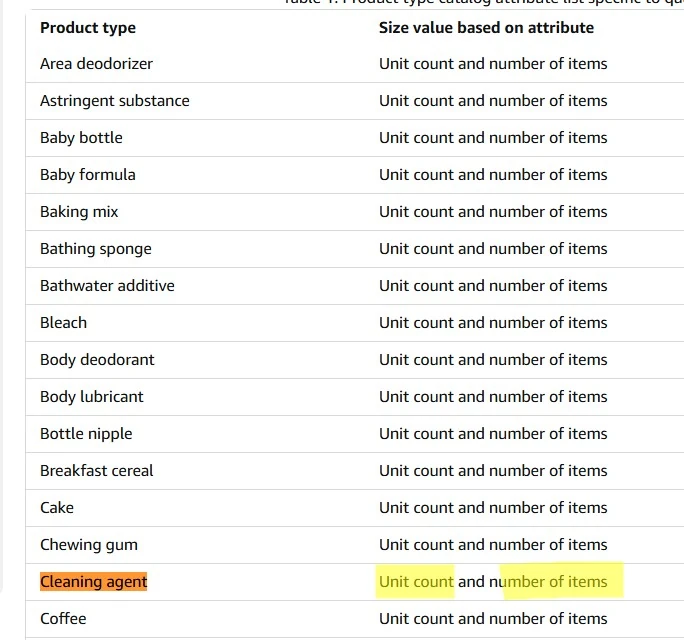
For the Cleaning Agent product type, Amazon generates size labels automatically from unit count and number of items. The PDP label was not being driven by the standard size field at all — Amazon's size normalisation logic was generating it dynamically.
-
04
Corrective action
Unit count values were updated across each vendor code for the affected ASINs so the data matched Amazon's normalisation rules. No change to the variation family was required.
Impact
Business value delivered
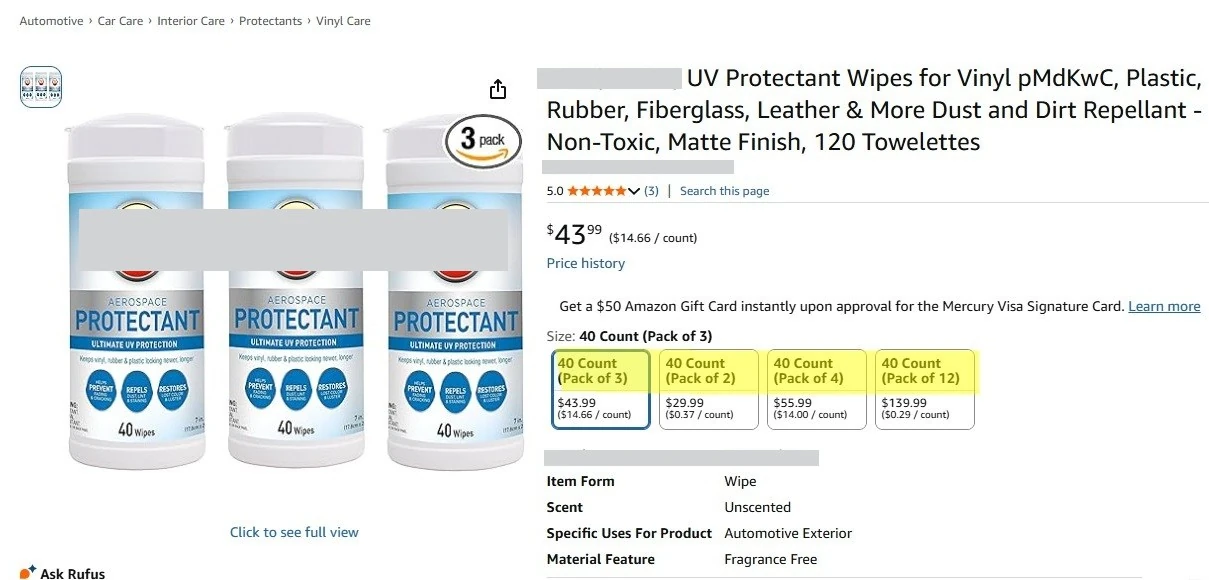
- Correct size labels restored across all 4 ASINs
- Correct values reflected on the PDP within 15 minutes of the update
- Variation family left intact
- No escalation required beyond the initial review
- Improved PDP consistency and faster product selection for shoppers
What it changed for the client
- A display problem solved without touching the variation structure
- Root cause understood rather than escalated away
- Consistent customer-facing data across the family
In short
Some PDP values are not the values you typed. Where Amazon derives a label from other attributes, fixing the field you can see will never work — you have to find the rule and feed it the inputs it actually reads.
Services this story used
Related case studies
Have a version of this problem?
Describe it in a sentence. We will tell you what we would do about it, and whether it is something we should be doing at all.