
Client success story · CS1
Unblocking Vendor Central purchase order confirmation
Resolving PO errors caused by missing expiration attributes
- PlatformAmazon Vendor Central
- Issue typePurchase order confirmation error
- CategoryCatalogue management and product compliance
Client background
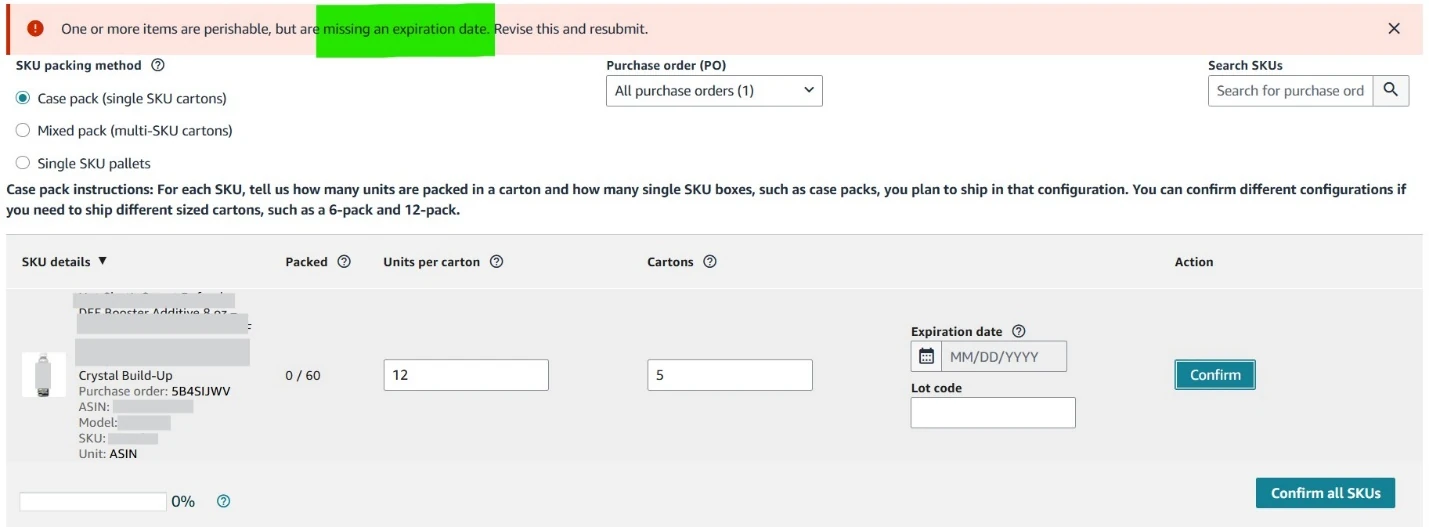
A Vendor Central client could receive purchase orders but could not confirm quantities or accept them: Amazon repeatedly returned an "Expiration Date is Missing" error. Multiple contacts with Amazon Support produced assurances that the expiration details had been updated internally, but the same error continued to appear every time an order was accepted.
The cause turned out to be a catalogue configuration problem rather than a data entry one. Correcting the product type and completing the required listing attributes cleared the error and restored normal PO processing.
Problem
Operational challenges
Purchase orders arrived normally, but confirmation was blocked. Orders could not be processed, order processing was delayed, and there was a live risk of shipment delays and supply chain disruption — with the issue unresolved after repeated support interactions.
Solution
Custom solution executed
-
01
Catalogue attribute analysis
The affected ASINs were assigned the Auto Accessory product type. That template includes an "Is Product Expirable" attribute, and when it is set to Yes, Amazon expects expiration type and shelf life information in return.
Those fields were not available in the Auto Accessory template.
-
02
Template validation
The latest Vendor Central category template for Auto Accessories was downloaded and checked. It contained the "Is Product Expirable" field but not the fields for entering expiration type or shelf life — so vendors had no way to supply what Amazon was asking for. That mismatch between the validation rule and the available template was the root cause.
-
03
Product type correction
Since the existing product type could not carry the required attributes, a case was submitted requesting a product type change for the affected ASINs, from Auto Accessory to Cleaning Agent, where all expiration-related attributes exist in the template.
-
04
Catalogue data completion
With the product type updated, the required fields were completed — expiration type, product expiration type and fulfilment centre shelf life — and Amazon accepted the POs without validation errors.
Impact
Business value delivered
- The "Expiration Date is Missing" error resolved
- Purchase orders confirmed without validation failures
- Product type corrected for the affected ASINs
- All mandatory expiration attributes added to the catalogue
- Repeated support cases for the same issue eliminated
What it changed for the client
- Faster purchase order processing
- Improved catalogue accuracy
- Reduced operational disruption
- Better compliance with Amazon's product data requirements
- Lower risk of future PO confirmation errors
In short
PO confirmation failures often originate in product type classification rather than in the order itself. Reading the category template against the validation rule — rather than taking support's word that the data was updated — is what found a cause that repeated case filing had not.
Services this story used
Related case studies
Have a version of this problem?
Describe it in a sentence. We will tell you what we would do about it, and whether it is something we should be doing at all.